


文档
API 版本 1.1
本文档说明如何注册、配置和开发您的应用,以便您成功使用我们的 API
创建应用
为了让您的应用访问我们的 API,您必须使用以下方式注册您的应用 应用仪表板. 注册会创建一个 App ID,让我们知道您是谁,并帮助我们区分您的应用与其他应用.
- 您需要创建一个新应用 创建新应用
- 创建应用后,您将获得您的 app_id 和 app_secret
使用以下方式登录
登录系统是人们创建帐户和登录您的应用的快捷方便方式。我们的登录系统支持两种场景:身份验证和请求访问用户数据的权限。您可以仅使用登录系统进行身份验证,或同时用于身份验证和数据访问.
-
启动 OAuth 登录流程,您需要为您的应用使用如下链接:
<a href="https://www.yalahula.com/api/oauth?app_id=YOUR_APP_ID">Log in With 呀啦呼啦-Yalahula</a>
用户将被重定向到如下所示的登录页面
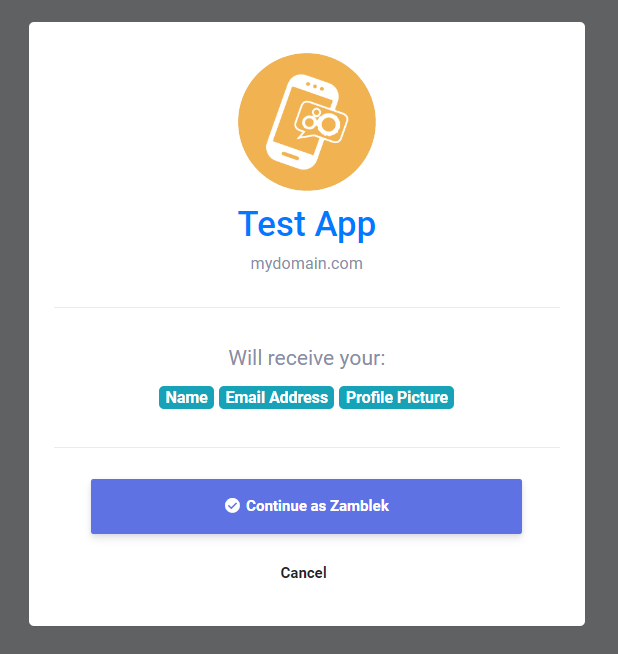
-
一旦用户接受了您的应用,用户将被重定向到您的应用重定向 URL,并附带 auth_key 如下所示:
https://mydomain.com/my_redirect_url.php?auth_key=AUTH_KEY
此 auth_key 仅一次性使用有效,因此一旦使用,您将无法再次使用它,要生成新代码,您需要将用户重新重定向到登录链接.
访问令牌
一旦您在应用登录窗口中获得了用户的批准并返回了 auth_key 这意味着您现在可以准备从我们的 API 检索数据了,要开始此过程,您需要授权您的应用并获取 access_token 您可以按照我们的步骤了解如何获取它.
-
要获取访问令牌,请向以下端点发出如下所示的 HTTP GET 请求:
<?php

$app_id = "YOUR_APP_ID"; // your app id
$app_secret = "YOUR_APP_SECRET"; // your app secret
$auth_key = $_GET['auth_key']; // the returned auth key from previous step

// Prepare the POST data
$postData = [
  'app_id' => $app_id,
  'app_secret' => $app_secret,
  'auth_key' => $auth_key
];

// Initialize cURL
$ch = curl_init('https://www.yalahula.com/api/authorize');

// Set cURL options for POST
curl_setopt($ch, CURLOPT_RETURNTRANSFER, true);
curl_setopt($ch, CURLOPT_POST, true);
curl_setopt($ch, CURLOPT_POSTFIELDS, http_build_query($postData));

// Execute request
$response = curl_exec($ch);

// Check for cURL errors
if (curl_errno($ch)) {
  die('cURL error: ' . curl_error($ch));
}

curl_close($ch);

// Decode the JSON response
$json = json_decode($response, true);

// Use the access token if available
if (!empty($json['access_token'])) {
  $access_token = $json['access_token']; // your access token
}
?>
此 access_token 仅 1 小时内有效,因此一旦失效,您需要通过将用户重新重定向到登录链接来生成新的令牌.
API
一旦您获得了您的 access_token 现在您可以通过支持以下参数的 HTTP GET 请求从我们的系统检索信息
| 端点 | 描述 |
|---|---|
| api/get_user_info | 获取用户信息 |
您可以像这样检索用户信息
            if(!empty($json['access_token'])) {
                $access_token = $json['access_token']; // your access token
                $get = file_get_contents("https://www.yalahula.com/api/get_user_info?access_token=$access_token");
            }
结果将是:
            {
              "user_info": {
              "user_id": "",
              "user_name": "",
              "user_email": "",
              "user_firstname": "",
              "user_lastname": "",
              "user_gender": "",
              "user_birthdate": "",
              "user_picture": "",
              "user_cover": "",
              "user_registered": "",
              "user_verified": "",
              "user_relationship": "",
              "user_biography": "",
              "user_website": ""
              }
            }